
PianoPDF
M-Pesa PDFs are a nightmare to analyse. Built PianoPDF: turns statements into Excel
-
MRR
Finance
In an era of rising digital fraud (mobile banking losses surged dramatically in recent reports), personal vigilance matters more than ever.
What's one simple step many of us skip? Actually verifying our own M-Pesa balances and transactions beyond the app glance.
M-Pesa only sends statements as PDFs, and turning those into usable Excel sheets for proper analysis (spotting patterns, small discrepancies, or just understanding your cash flow) is often a headache with standard converters.
That's why I built PianoPDF - a clean, privacy-first tool specifically for M-Pesa statements.
What it does (simply & securely):
• Extracts transactions from your PDF (even longer statements)
• Converts to structured Excel/CSV
• Auto-categorises where possible
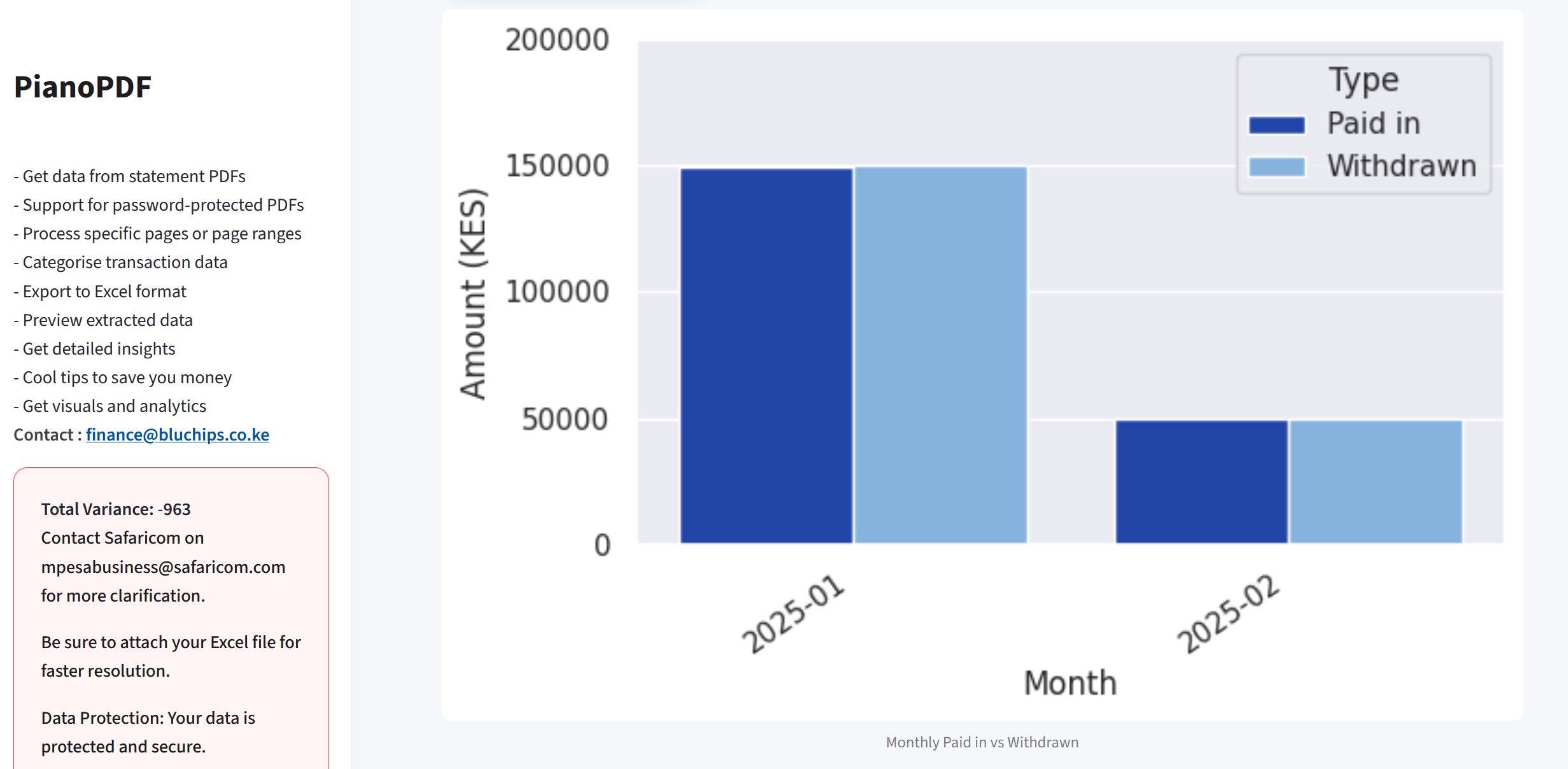
• Calculates variances (paid in vs withdrawn) and flags small mismatches
• Gives basic insights/visuals (like monthly paid vs withdrawn bars)
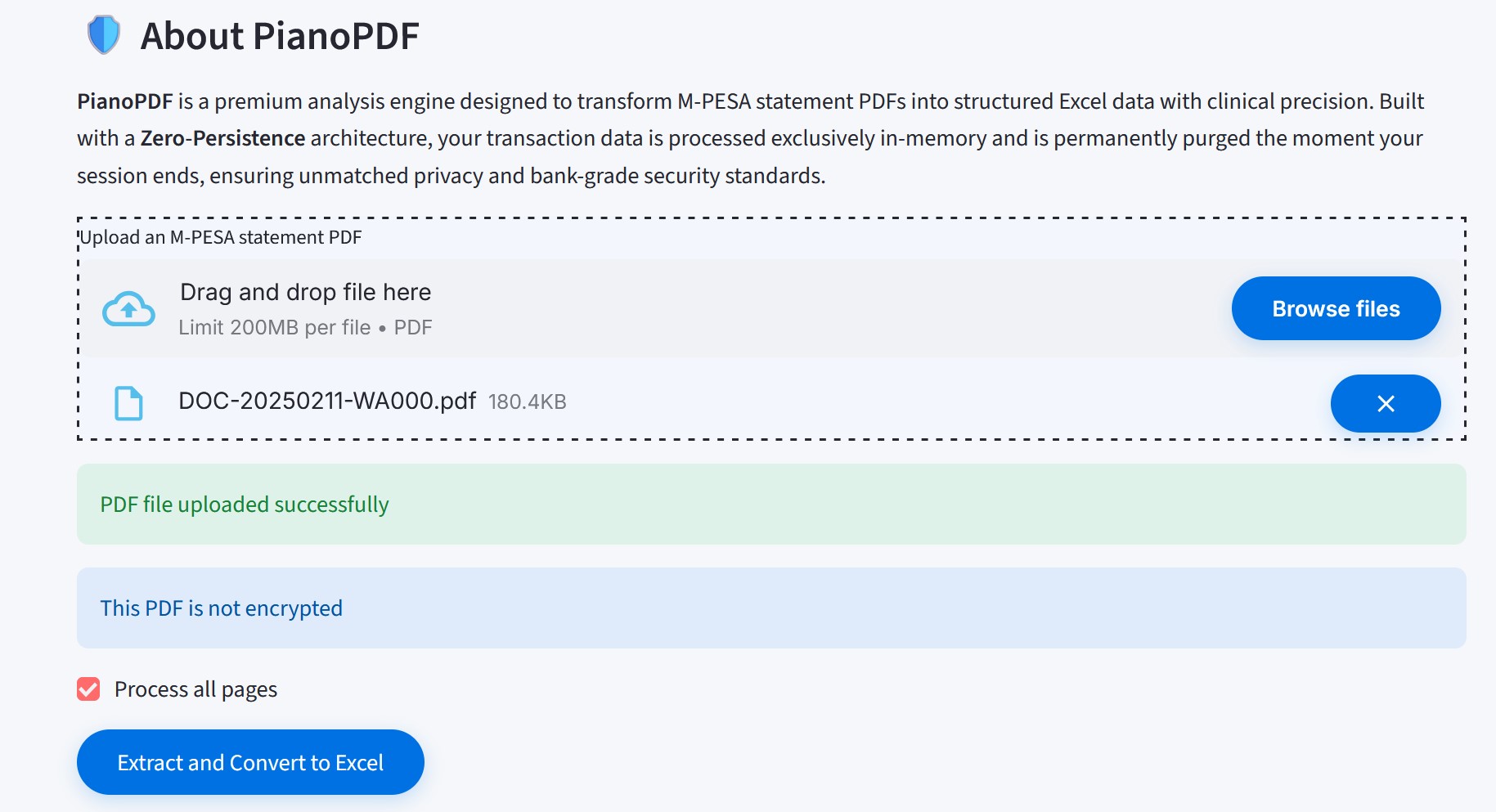
• Zero persistence: processes in-memory, data purged after your session - no storage, bank-grade privacy focus
Small variances might seem minor (a few hundred bob here and there), but in my own statements and those of friends, they've popped up after proper conversion - enough for "gummy bear" or more if unchecked.
In light of everything happening in the industry, it's just smart to double-check your own records occasionally.
How to try it:
1. Go to the site (link in bio/comments or search PianoPDF M-Pesa)
2. Register your number (for secure access)
3. Upload your M-Pesa PDF statement
4. Hit convert - get your Excel ready in moments
Especially worth doing for your 2024/2025 statements.
No hype, just a practical tool born from handling millions of transaction rows professionally and wanting the same clarity personally.
Comments (0)
Growth Playbooks
Actionable tactics sourced from real conversations with profitable founders—no fluff, just strategies that actually work
• 25+ tactics
• Step-by-step guides




No comments yet. Be the first to share your thoughts!